
An Apple 4K monitor is not part of Apple’s current desktop display lineup. The 2026 Apple Studio Display is a 27-inch 5K monitor, while Studio Display XDR is also 27-inch 5K. If you searched for an Apple-branded 4K screen, the real decision is whether to pay for Studio Display’s sharper Mac-focused integration or buy a less expensive, more flexible 4K USB-C monitor from another manufacturer.
Gearxis recommends the 2026 Studio Display when a Mac is your primary computer and you will regularly use its 5K density, 96W laptop charging, camera, microphones, speakers, and Thunderbolt 5 hub. Choose a conventional 4K model when price, 120Hz motion, height adjustment, multiple inputs, or cross-platform flexibility matters more than Retina-style text density.
What This Review Covers
This is a specification-based review of the standard 2026 Apple Studio Display, not Studio Display XDR and not a discontinued third-party display once sold through Apple. Gearxis has not handled, measured, color-calibrated, or tested these monitors. Specifications and availability were checked against current manufacturer pages on September 8, 2026.
The title addresses a real search-language mismatch. “Apple 4K monitor” commonly describes the product category a shopper wants, but Apple’s current display starts above 4K. The useful answer is not simply that 5K has more pixels; it is whether those pixels and Apple’s integrated desk features solve enough problems to justify the purchase.
Apple Sells 5K Displays, Not a 4K Desktop Monitor
Apple’s current Studio Display specifications list a 27-inch panel with 5120-by-2880 resolution, 218 pixels per inch, 600-nit brightness, P3 wide color, True Tone, and a 60Hz refresh rate. The higher-tier Studio Display XDR is also 27-inch 5K, adding mini-LED backlighting, stronger HDR capabilities, and 120Hz rather than changing to 4K.
The standard Studio Display includes a 12MP Center Stage camera with Desk View, a six-speaker system, a three-microphone array, one upstream Thunderbolt 5 port with 96W host charging, one downstream Thunderbolt 5 port, and two 10Gb/s USB-C ports. Apple’s compatibility list centers on specified Apple-silicon Macs running macOS Tahoe 26.3.1 or later, plus selected iPads.
Apple announced the 2026 Studio Display at a US starting price of $1,599. That figure is useful for understanding its position, but glass and stand choices change the total. Check Apple’s current configuration page before buying rather than treating a launch price as a permanent offer.
The Pixel-Density Difference Is Large, but It Is Not Everything
Gearxis calculated the resolution difference for two 27-inch, 16:9 displays:
| Display class | Resolution | Total pixels | Approximate density | Clean 2-to-1 logical workspace |
|---|---|---|---|---|
| 27-inch 5K | 5120 × 2880 | 14,745,600 | 218 ppi | 2560 × 1440 |
| 27-inch 4K | 3840 × 2160 | 8,294,400 | 163 ppi | 1920 × 1080 |
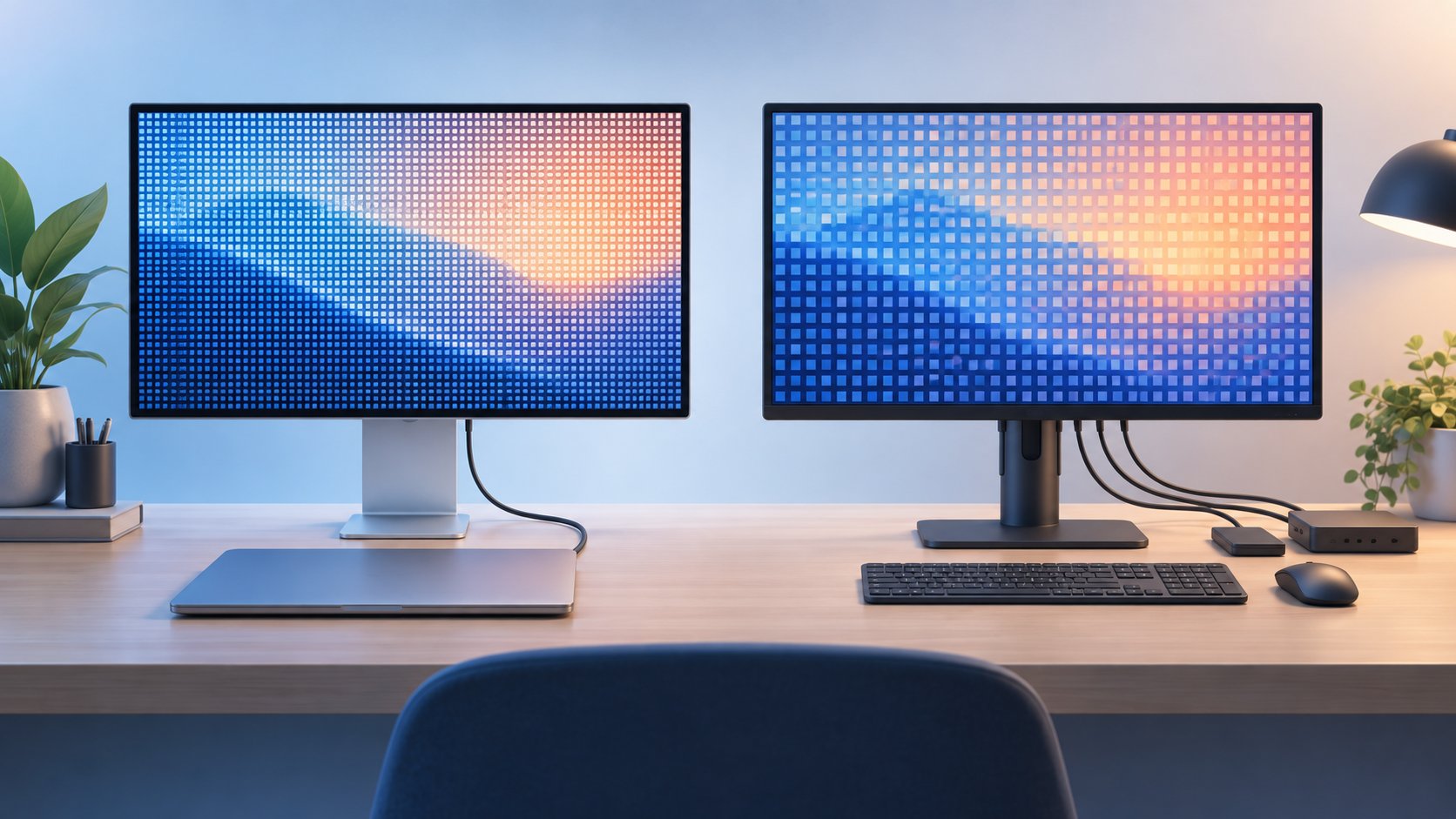
The 5K panel contains about 6.45 million more pixels, or roughly 78% more, than 4K. Its published density is about 34% higher than the 163 ppi common to 27-inch 4K screens. At a clean two-pixels-per-logical-pixel mapping, 5K can represent a 2560-by-1440 workspace while 4K represents 1920 by 1080.
That calculation explains why 5K can produce sharper text while retaining a useful amount of desktop space on macOS. It does not prove that every buyer will prefer it. macOS offers scaled resolutions, and Apple cautions that a scaled setting can add processing overhead. Viewing distance, eyesight, application layout, and selected scaling determine how meaningful the difference feels.
Studio Display’s Real Advantage Is the Complete Desk
The strongest reason to choose Studio Display is not resolution alone. A compatible MacBook can connect through one cable, receive up to 96W, use the display’s camera and microphones for calls, play through its built-in speakers, and access attached Thunderbolt or USB-C devices.
That can replace a monitor, charger, webcam, speakers, microphone, and part of a dock. The value is strongest when you would otherwise buy several of those items and prefer one Apple-supported package. It is weaker when you already own good desk accessories or only need a panel.
The standard model’s limitations remain important. It is capped at 60Hz, the base stand adjusts only for tilt, and it does not provide the mini-LED local dimming or HDR performance of Studio Display XDR. Height adjustment is a different configuration, while a VESA version is intended for a compatible arm or stand. Decide on ergonomics before ordering.
What a Good 4K Alternative Changes
A third-party 4K display gives up pixel density at the same 27-inch size, but can redirect the budget toward motion, ports, ergonomics, or lower total cost. Two examples show why “4K alternative” is not one fixed compromise.
The BenQ MA270U is a Mac-oriented 27-inch 4K option. BenQ lists 3840-by-2160 resolution at 163 ppi, 60Hz, 400-nit typical brightness, 95% P3 coverage, 90W USB-C power delivery, and a stand with height, tilt, swivel, and pivot adjustment. Its Mac color-tuning and synchronization features are manufacturer claims, not Gearxis measurements.
The Dell UltraSharp U2725QE takes a hub-first approach. Dell lists a 27-inch 3840-by-2160 panel at 163 ppi and 120Hz, plus Thunderbolt 4 with up to 140W power delivery, downstream Thunderbolt, HDMI, DisplayPort, USB-A, USB-C, and 2.5Gb Ethernet. It does not include the Studio Display’s built-in camera, microphones, or speaker system.
| Priority | Better direction | What you trade away |
|---|---|---|
| Sharp Retina-style text at 27 inches | Studio Display 5K | Lower price and broader input choice |
| Integrated camera, microphones, and speakers | Studio Display 5K | Ability to choose each accessory separately |
| Mac-focused 4K at 60Hz with ergonomic adjustment | BenQ MA270U | 5K density and Apple’s integrated conferencing hardware |
| 120Hz and a powerful multi-device hub | Dell U2725QE | 5K density and built-in camera/audio |
| Lowest practical cost | Compare current 4K models | Premium integration and denser text |
For more alternatives without repeating a full category ranking here, see the Gearxis 4K monitor guide. It separates value, color work, Mac-oriented features, and hub capability.
Who Should Buy the 2026 Studio Display
Choose Studio Display when all or most of these conditions are true:
- a compatible Mac is the main computer on the desk;
- you care about 218-ppi text and interface clarity;
- you will use at least three integrated functions, such as charging, camera, microphones, speakers, or hub ports;
- 60Hz is sufficient for your work; and
- you have selected the correct stand or VESA configuration before checkout.
It is particularly coherent for writing, coding, design, photography, music production, and frequent video calls on a Mac-centered desk. That recommendation is an editorial fit judgment from the documented feature set, not a hands-on observation.
Who Should Skip It
Skip Studio Display if you primarily use Windows, need several conventional video inputs, want 120Hz for smoother motion, require serious HDR contrast, or cannot justify paying for integrated accessories. A 4K USB-C or Thunderbolt monitor can be the better purchase even though its text is less dense at 27 inches.
Also skip the standard model if your actual requirement is HDR mastering or high-refresh creative work. Apple’s Studio Display XDR is the relevant Apple tier for those needs, while non-Apple professional and gaming displays provide other combinations of panel size, refresh rate, and connectivity.
Buy neither category until you verify your exact Mac’s supported external-display count, resolution, refresh rate, and charging needs. The monitor, cable, connection standard, and Mac model all affect the final setup.
The Gearxis Four-Question Decision Rule
- Is 27-inch 5K density the requirement, or is “4K” simply the search term? If sharp Mac text is the goal, evaluate 5K directly.
- Will integrated hardware replace accessories you would otherwise buy? Count only the camera, audio, charging, and ports you will use.
- Is 60Hz acceptable? If not, the standard Studio Display is eliminated regardless of its resolution.
- Does the desk need flexibility? Multiple computers, adjustable ergonomics, Ethernet, or several video inputs often favor a third-party 4K model.
The 2026 Studio Display is the better integrated Mac desk, not an Apple 4K monitor and not a universal monitor recommendation. Its 5K density and built-in system justify the premium only when they match your daily workflow. For buyers who prioritize cost, 120Hz, adjustment, or varied connections, a well-chosen 4K USB-C monitor is the more practical tool.
Fact-checked by Gearxis on September 8, 2026. Prices, availability, and compatibility should be verified again before purchase.